What is Two‑Factor Authentication(2FA)?

Recent cyber incidents show that stolen or weak passwords remain the main way attackers gain access. For SMEs in the DACH region, implementing two‑factor authentication (2FA) is a fundamental step to protect sensitive systems. Combined with MDR services, 2FA adds a strong layer of defence without overcomplicating daily workflows. 

Why This Matters for SMEs in the DACH Region 

SMEs face growing digital exposure, strict regulatory obligations, and limited IT resources. Implementing 2FA helps: 

  • Reduce the risk of credential theft 
  • Support DSGVO compliance requirements 
  • Protect customer and company data without slowing down operations 

For businesses with small IT teams, 2FA is a practical control that immediately raises security levels. 

Understanding 2FA 

2FA requires users to provide two verification elements to access an account, typically combining: 

  • Passwords or PINs – something only the user knows 
  • Devices or authentication apps – such as smartphones, hardware tokens, or apps generating one-time codes 
  • Biometric data – like fingerprints or facial recognition 

Common implementations include authenticator apps (Google Authenticator, Microsoft Authenticator), push notifications to approved devices, hardware tokens, or biometric verification. Even if a password is compromised, the account remains protected unless the second factor is also breached. 

The Compliance Perspective 

For SMEs in the DACH region, DSGVO compliance requires appropriate technical and organisational measures to protect personal data. 2FA is widely recognised as a recommended security control. 

Without strong authentication, businesses risk: 

  • Data breaches 
  • Regulatory fines 
  • Damage to reputation and customer trust 

Integrating 2FA with broader security monitoring supports audit readiness and demonstrates a proactive approach to compliance. 

How MDR Services Complement 2FA 

While 2FA protects accounts, it is only one part of a robust security strategy. MDR services provide continuous monitoring, rapid detection of suspicious activity, and expert response support. Together, they allow SMEs to: 

  • Detect unusual login attempts in real time 
  • Respond quickly to incidents before they escalate 
  • Reduce the overall impact of security events 

Combining 2FA with MDR ensures both preventative and reactive protection. Learn more about our MDR services. 

Best Practices for Implementing 2FA 

  • Prioritise critical accounts: Admin, cloud, and remote access accounts first 
  • Choose effective methods: Authenticator apps or push notifications preferred over SMS 
  • Use conditional access policies: Enforce 2FA based on location, device, or risk signals 
  • Educate users: Clear instructions for setup and recovery prevent support bottlenecks 
  • Integrate with monitoring: Feed 2FA logs into SIEM or MDR systems to detect anomalies 

Why Acting Now Matters 

Cyber threats continue to rise, and stolen credentials remain the easiest way for attackers to gain access. Enabling 2FA today, together with proactive monitoring via MDR services, protects critical systems, supports DSGVO compliance, and helps maintain trust with clients and partners. 

Explore how to strengthen your security: Contact Our MDR Experts

Final Thoughts 

2FA is not just a technical feature—it is a strategic measure that strengthens security for SMEs in the DACH region. Combined with MDR services, it reduces the risk of breaches, helps meet compliance requirements, and safeguards business operations. Implementing 2FA today builds a strong foundation for long-term cyber resilience. 

AI Alone Is Not Enough: SMEs Still Need Experienced Cybersecurity Teams

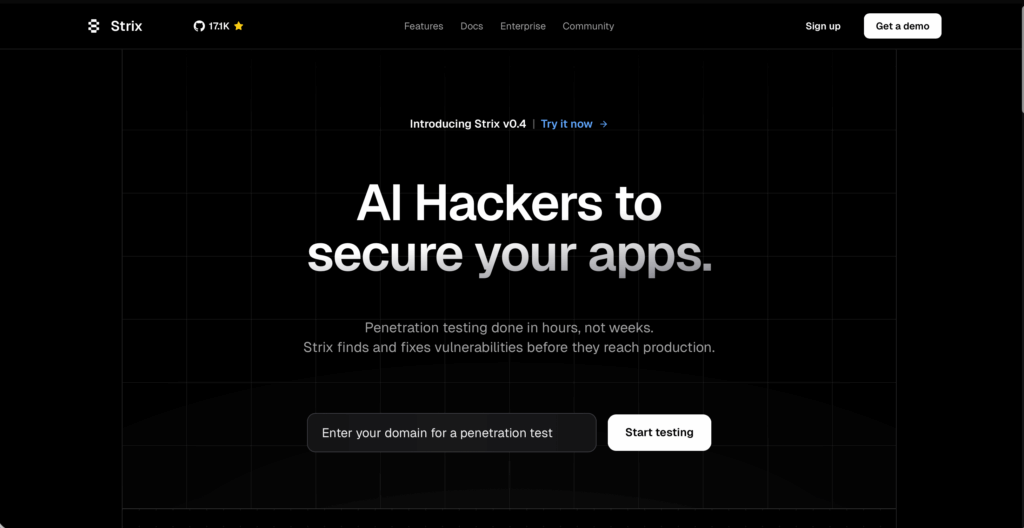
strix

Recently, the open-source project Strix has gained attention in the developer community. It positions itself as an “AI hacker,” capable of running applications, analyzing requests, attempting attack paths, and automatically generating PoCs for vulnerabilities. For development teams, such a tool can speed up vulnerability discovery and reduce early-stage mistakes. 

However, terms like “AI penetration testing” and “no human required” can be misleading. Strix is not a full-fledged autonomous security solution—it is a tool to assist developers, not replace security professionals. 

What Strix Can Do 

Strix is primarily designed for application security testing. Its key capabilities include: 

  • Automated application execution and attack surface exploration 
  • Browser automation, proxy request analysis, and command-line execution tools 
  • Multi-agent collaboration for simulating attacks 
  • Automatic PoC generation with suggested fixes 
  • Integration into CI/CD pipelines 

The Reality: Strix Relies on Large Language Models 

The “intelligence” behind Strix comes from large language models like ChatGPT or Claude. It does not have a dedicated, self-trained security model. 

This creates several limitations: 

  • It cannot independently reason through complex attack chains 
  • Deep business logic vulnerabilities are difficult for it to identify 
  • Vulnerability assessment relies on tool outputs interpreted by LLMs 

In short, Strix is an automation framework that wraps existing security tools with LLM support, not a system capable of fully replacing professional security teams. 

Why the “AI Hacker” Concept Is Overhyped 

  1. Business logic vulnerabilities still need human judgment 
    Many critical flaws stem from process design, not code errors. AI cannot reliably assess real business impact. 
  1. Multi-step attack chains exceed current AI capabilities 
    Real-world attacks often span multiple systems and stages. LLMs are not consistently reliable for this level of reasoning. 
  1. Risk assessment and compliance require human oversight 
    Determining whether a vulnerability impacts DSGVO compliance or other regulations cannot be left to AI alone. 
  1. Tools identify “points” security requires seeing the “whole picture” 
    AI tools detect code-level flaws but cannot address configuration errors, supply chain risks, or privilege misuse. 

Why SMEs in the DACH Region Still Need MDR Services 

While Strix can improve vulnerability detection efficiency, overall enterprise security is far broader. Especially for SMEs in the DACH region, facing strict DSGVO compliance requirements, the areas AI cannot cover include: 

  • 24/7 threat monitoring: attacks may come from networks, endpoints, or cloud services 
  • Incident response: AI can flag anomalies but cannot make decisions or act 
  • Risk assessment: determining which issues require remediation or reporting 
  • Compliance documentation: AI cannot produce audit-ready security reports 

Professional MDR services remain essential, providing full coverage from detection to response. 

How to Use Strix Effectively 

  1. Use Strix during development 
  • Identify common vulnerabilities early 
  • Reduce later-stage remediation costs 
  1. Combine with human review 
  • Assess PoCs for business risk and compliance 
  • Ensure alignment with DSGVO and internal policies 
  1. Integrate into CI/CD pipelines 
  • Catch vulnerabilities before they reach production 
  1. Use as a supplement, not a replacement 
  • Automation accelerates testing, but MDR and security teams provide context, judgment, and coverage. 

Conclusion: AI Speeds Up Work, Humans Are Still Essential 

Strix demonstrates the potential of AI in application security. It automates many basic tasks and helps development teams reduce early-stage risks. However, it is not a “universal AI hacker” and cannot replace professional security expertise. Enterprise security still depends on experience, human judgment, and continuous monitoring. The most effective approach combines AI-powered acceleration, expert analysis, and MDR services. This combination ensures reliable, sustainable security—particularly for SMEs in the DACH region needing to maintain DSGVO compliance. 

Top 10 Privacy Tools: Safeguard Your Data with Ease 

Have you ever pondered how many pairs of eyes observe your online activity?

Given the many online threats, safeguarding your data is extremely important in the digital environment. Maintaining your online privacy is no longer just a suggestion but a necessity.

Whether using public Wi-Fi or at home, choosing the correct privacy tools is crucial for protection. To find the most effective tools, we have created a list of the top ten privacy tools to secure your data effectively and efficiently.

The Importance of Leveraging These Privacy Tools for Everyday Cyber Protection

Online threats are common for tech users. Privacy tools can boost cyber protection. A VPN acts as an internet bodyguard, encrypting data and hiding your location. Password managers store strong passwords to lower the risk of breaches.

In addition, using encrypted messaging and email services can help keep your conversations private. Privacy-focused web browsers block trackers that follow your online activity. Two-Factor Authentication (2FA) provides added security to your accounts, making it harder for unauthorized access. By incorporating these tools into your digital habits, you can protect yourself from cyber threats and safeguard your personal information.

1. VPN Services

Virtual Private Networks (VPNs) have become indispensable for anyone serious about online privacy. VPNs encrypt your internet traffic, hide your IP address, and create a secure encrypted channel for your data to travel. As a result, you can browse the internet anonymously and access content that might otherwise be restricted in your region.

Proton VPN

Proton VPN provides a tool for navigating the internet with enhanced privacy and security. It creates an encrypted connection for your online traffic, helping to shield your activities from monitoring by third parties, including internet service providers and potential trackers.

Operating under strict Swiss privacy laws, Proton VPN adheres to a no-logs policy, meaning your Browse history and online movements are not recorded. This service can also assist in accessing online content that might be restricted in certain regions, or for generally Browse the web with a greater degree of digital freedom. 

IVPN

IVPN is a virtual private network service designed with a focus on user privacy and security. It facilitates encrypted internet connections, aiming to prevent third-party monitoring of online activity, such as by Internet Service Providers.

The service emphasizes transparency and a strict no-logs policy, meaning it does not record user Browse data. IVPN offers features like multi-hop connections for enhanced routing of traffic through multiple servers, and AntiTracker to help block ads and web trackers.

Mullvad

Mullvad VPN offers a service focused on digital privacy. It operates by encrypting your internet traffic and routing it through its network, aiming to obscure your online activities from your Internet Service Provider and other potential observers.

A key aspect of Mullvad’s approach is its commitment to not logging user activity. Accounts are generated with a unique number, rather than requiring personal information like email addresses.

2. Password Managers

Password managers simplify online security by securely storing your login details and helping you generate strong, unique passwords for every account.

Proton Pass 

Proton Pass functions as a secure password manager and digital identity organizer. It’s designed to help users generate strong, unique passwords for their various online accounts and store them in an encrypted vault. Beyond passwords, it can also secure notes and other sensitive information.

The service incorporates features like email alias creation, aiming to reduce the exposure of your primary email address when signing up for new services.

1Password

1Password is a password manager that helps users create, store, and manage strong, unique passwords for their online accounts. It encrypts this information and makes it accessible across various devices, aiming to simplify the process of using complex credentials while enhancing security.

Beyond passwords, 1Password can also securely store other sensitive data, such as credit card details, secure notes, and software licenses.

Keepass XC

Keepass XC is a free and open-source password manager. It allows users to store their passwords, alongside other sensitive data like notes and file attachments, within an encrypted database. This database is secured with a master password or key file, or both.

Designed for offline use, KeePass XC prioritizes local data control, meaning your password database is stored on your own device rather than in the cloud.

Psono

Psono is an open-source password manager designed to help users securely store and manage their digital credentials. It provides a platform to create strong, unique passwords for various online accounts and keeps them encrypted.

The service can be self-hosted, allowing users to maintain control over their data on their own servers, or it can be used via a hosted version. 

3. Encrypted Messaging Apps

Secure messaging apps are vital for individuals who prioritize privacy when communicating. They safeguard conversations from unauthorized intrusion and nosy individuals.

Signal

Signal is a frontrunner in secure messaging thanks to its end-to-end encryption. Only you and the person you are communicating with can read the messages, ensuring your conversations remain private. Signal’s open-source nature allows for continuous security auditing, making it a trusted choice for privacy-conscious users.

Briar 

Briar is an open-source messaging application designed for secure and resilient communication, especially in challenging environments. Unlike traditional messaging apps, it doesn’t rely on a central server. Instead, it connects users directly, either over the internet (via Tor) or via Bluetooth and Wi-Fi, allowing communication even when internet access is unreliable or censored.

Element

Element is an open-source messaging application built on the Matrix protocol, designed for secure and decentralized communication. It provides end-to-end encryption for all messages, calls, and files, aiming to ensure that conversations remain private between participants.

4. Privacy-focused Browsers

Privacy-focused browsers protect your online activities from being tracked and monitored. They offer settings and features that prioritize privacy, making them vital tools for anyone concerned about their digital footprint.

Brave

The Brave browser prioritizes privacy by automatically blocking ads and trackers, improving browsing speed, and safeguarding online privacy. Users can earn rewards through Brave’s unique Basic Attention Token system, converting attention into an asset.

Firefox

Firefox is another stalwart in the privacy-focused browser category. It offers extensive settings that allow you to customize your browsing experience. Users trust Firefox for its commitment to transparency and open-source development, ensuring the browser’s integrity remains intact.

Mullvad Browser

Mullvad Browser is a web browser developed in collaboration with the Tor Project, designed with a focus on privacy and minimizing digital fingerprinting. It aims to reduce the amount of unique identifying information your browser shares with websites, making it harder to track your online activity.

5. Secure Email Providers

Trustworthy email services safeguard your messages against unauthorized intrusion by employing encryption to guarantee that only the designated recipients can view them.

ProtonMail

ProtonMail offers end-to-end encryption for your emails, securing them from unauthorized access.

Switzerland’s strong privacy laws benefit ProtonMail, adding an extra layer of user protection. The service’s user-friendly interface makes encrypted email communication simple and accessible.

Tutanota

Tutanota encrypts every email, safeguarding your communications from prying eyes with its ad-free experience. The platform’s commitment to open-source development ensures transparency, providing insights into how your data is managed and protected.

Mailbox.Org 

Mailbox.org is an email service that emphasizes privacy and security. It provides standard email functionalities, alongside features like an online office suite, cloud storage, and calendar capabilities.

A key aspect of Mailbox.org is its commitment to data protection, operating under German privacy laws. 

6. Multifactor Authentication Tools

Ente Auth 

Ente Auth is an authenticator application designed for generating time-based one-time passwords (TOTP) and HMAC-based one-time passwords (HOTP). It provides a way to secure online accounts by adding an extra layer of verification beyond just a password.

A key characteristic of Ente Auth is its emphasis on encryption and synchronization across devices. 

Aegis Authenticator 

Aegis Authenticator is a free and open-source application for generating one-time passwords (OTP), used for two-factor authentication (2FA). It supports both time-based (TOTP) and HMAC-based (HOTP) algorithms.

The application allows users to store their 2FA secrets securely on their device, encrypted with a master password or biometric authentication.

7. Anti-Tracking Extensions

Anti-tracking extensions protect your online privacy by blocking trackers that monitor your internet activity.

Privacy Badger

Privacy Badger automatically blocks trackers, enhancing your online privacy without requiring extensive configuration. As you browse, Privacy Badger learns and adapts, continuously improving its protection against emerging threats. The extension’s simple interface makes it easy for anyone to enhance their privacy.

Ghostery

Ghostery offers comprehensive tracking protection, blocking intrusive ads and trackers to enhance your browsing experience. Users appreciate Ghostery’s detailed tracker analysis, providing insight into the entities tracking their online activities. The extension’s user-friendly dashboard allows for customizable privacy settings, putting you in control of your data.

8.  Secure Cloud Storage Platforms

Protected cloud storage services use encryption to safeguard your data, ensuring files are secure from unauthorized access. They provide safe storage options for individuals and businesses.

Tresorit

Tresorit provides end-to-end encryption for cloud storage, safeguarding your data from unauthorized access. With a zero-knowledge policy, Tresorit ensures complete privacy, allowing you to access only your files. The platform’s intuitive interface makes secure file storage accessible to all, regardless of technical expertise.

Proton Drive 

Proton Drive is an encrypted cloud storage service designed with a focus on data privacy and security. It allows users to store files and documents in the cloud while maintaining end-to-end encryption, ensuring that only the user can access their stored data.

Peergos

Peergos is a decentralized, end-to-end encrypted file storage and communication platform. It aims to give users full control over their data by making it impossible for the service provider to access or censor content.

Operating on a peer-to-peer network, Peergos allows users to store files, share them securely with others, and engage in encrypted messaging. 

9. File Sharing and Sync 

Send 

Send is a secure file share and sync solution designed to streamline how teams collaborate and manage digital assets. It provides a centralized, accessible platform for storing, sharing, and synchronizing files across multiple devices and locations.

Onionshare 

Onionshare is an open-source tool designed for secure and anonymous communication over the Tor network. It allows users to share files, host websites, and engage in private chats without relying on centralized servers or revealing their identity or location.

Freedom Box

Freedom Box is an open-source personal server designed to empower individuals and small communities to take control of their online services and data. It transforms inexpensive, low-power hardware (like single-board computers) into a secure and private hub for various digital needs.

9. Secure Email clients

Thunderbird 

Thunderbird is a free and open-source desktop email client developed by the Mozilla community. It provides a robust and customizable platform for managing all your email accounts, newsfeeds, and chat services in one unified application.

Designed with user control and privacy in mind, Thunderbird keeps your data local on your computer, offering an alternative to web-based email services that may collect personal information.

Apple Mail

Apple Mail is the built-in email client included with macOS, iOS, iPadOS, and watchOS devices, offering a seamless and integrated experience for managing your email communications across the Apple ecosystem. It provides a clean, intuitive interface designed to simplify the process of sending, receiving, and organizing messages.

Fairmail 

Fairmail is an open-source, privacy-focused email client designed for Android devices. It offers a comprehensive set of features for managing multiple email accounts while prioritizing user data security and minimizing tracking.

10. Owning Your Own Cyber Resiliency

All technology users must use privacy tools for their security features. The digital world is full of dangers, such as complex phishing attempts and widespread data breaches, which aim to compromise personal and financial security. You are creating a vital defense by using tools like VPNs, which secure your internet traffic, and password managers, which strengthen your accounts.

These tools are not just about “hiding” and exercising control over your digital footprint. They provide essential safeguards, protecting your privacy and mitigating the risks of identity theft, financial fraud, and targeted cyberattacks. Embracing these security-enhanced privacy tools empowers you to navigate the online world with greater confidence and resilience.

Questions About These Tools? 

If you have questions regarding these tools, please contact the Forenova team!

What is Infostealer Malware? 

Infostealers are a type of malicious software (malware) designed to infiltrate computer systems and steal sensitive information. They collect various types of data that are used by cybercriminals to gain access to restricted data, such as 

  • Login credentials 
  • Bank/Card information 
  • Personal data (home address, security number, phone number, etc.) 
  • Browser history data and cookies information 
  • Crypto wallets and keys 
  • Device-specific details (OS name, version, IP, installed software, etc.) 

Infostealers are the most frequent type of attack in 2025 

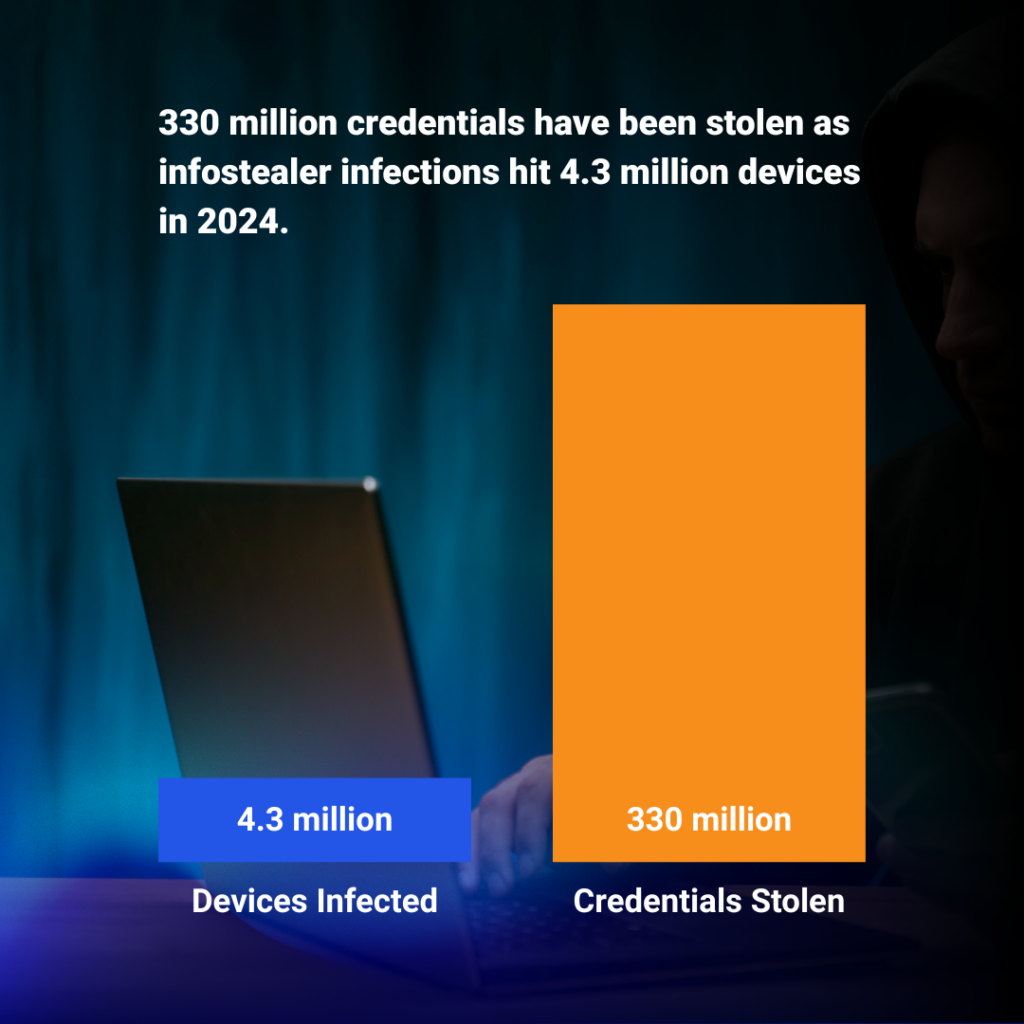
In 2024, infostealer malware infected approximately 4.3 million devices, compromising around 3.9 billion credentials, including passwords and other sensitive data. 

  1. Malware-as-a-Service on the rise 

Underground forums represent a great source for potential hackers with minimal technical expertise to purchase this type of service (malware-as-a-service). 

  1. The rise in cryptocurrency adoption 

As the acceptance of cryptocurrency expands globally, hackers stand to gain significant returns on investment by obtaining wallet/key information. 

  1. Remote workforce & more online accounts than ever 

People manage more online accounts and digital assets than ever before, and with more employees working from home on potentially less secure networks, it creates the perfect storm conditions for hackers to exploit. 

How do Infostealers get in? 

1. The classic bait and switch with phishing attackers distributing malicious payloads through deceptive communications. 

These often take the form of malicious document attachments that exploit application vulnerabilities when opened. They also employ links directing users to credential harvesting sites or malware downloads disguised as legitimate resources.  

2. Compromised Websites  

Hackers can unknowingly distribute malware on regular websites. Some attacks automatically download malicious files when you simply visit an infected site. 

Harmful ads placed on legitimate websites can redirect visitors to dangerous content. Software downloads may contain hidden malware alongside the intended program. 

3. Social Engineering  

Criminals may pretend to be technical support staff to convince victims to grant them remote access to computers. Deceptive messages on social media platforms exploit existing relationships to spread malicious links. Public QR codes can also lead individuals to risky websites. 

4. Trojan Horse in Supply Chain  

Attackers often target the software development and distribution process, which may alter legitimate software updates to include malicious code. Many applications’ development libraries and components are also susceptible to compromise. 

Most popular Infostealer variants 

RedLine Stealer 

RedLine Stealer was frequently cited as one of the most dominant infostealers throughout 2023 and 2024. One report indicated it was responsible for 43% of observed infostealer infections in 2024. It targets credentials, cookies, credit card details, FTP clients, cryptocurrency wallets, and specific files.

LummaC2 Infostealer 

LumnaC2 saw a significant surge in detections in late 2024. Reports indicate massive increases in detections (e.g., a 369% increase from H2 vs. H1 2024, according to ESET), and it’s often listed among the top 3 most prevalent stealers. It targets crypto wallets, browser data (profiles, cookies, credentials), 2FA extensions, and system information. 

Rise Pro  

Rise Pro is one of the most significant stealers, according to some reports (e.g., Kaspersky data places it second only to RedLine for 2024 infections). 

Racoon Stealer 

While its main developer was arrested, leading to a temporary dip, updated versions emerged, and it remains a frequently mentioned threat, particularly noted in some regional reports (like LACNIC for Latin America/Caribbean) and historical data. It steals a wide range of credentials and crypto wallets. 

What IT Managers Can Do Today to Protect Against Infostealers 

  • Start by disabling browser-based password storage across all endpoints and enforce the use of enterprise-grade password managers. This helps eliminate one of the most common data sources targeted by infostealers. 
  • Ensure that MFA is phishing-resistant by using hardware tokens or app-based push notifications rather than SMS codes. 
  • Next, segment your high-risk and legacy systems. Machines running outdated operating systems or OT equipment that can’t support modern EDR agents should be isolated using firewall rules and VLAN segmentation to prevent lateral movement. 
  • Secure endpoint and browser configurations by removing unnecessary software and plugins. Block installation of unsigned apps or browser extensions not vetted by your team. This reduces the potential attack surface significantly. 
  • Proactively monitor early signs of infostealer activity. Watch for unusual outbound connections, reuse of credentials from unknown IPs, or browser processes behaving abnormally. 
     

Traditional antivirus and firewall solutions aren’t built to detect credential theft as it happens. That’s where Managed Detection and Response (MDR) comes in. 

With solutions like NovaMDR, small and medium-sized businesses can gain:

  • We conduct 24/7 behavioral monitoring of endpoints, networks, and cloud activity to detect abnormal data exfiltration in real-time. 
  • We ensure expert validation of threats to prevent false positives from overshadowing genuine alerts. 
  • We detect credential theft by spotting anomalies such as logins from new geographies, cookie harvesting behaviors, and password dumping tools. 
  • We deliver immediate response capabilities such as isolating infected endpoints, halting suspicious processes, or triggering password resets. 

Ready to stop infostealers before they ruin your business? Check out NovaMDR

The Ultimate Threat Hunting Checklist for Cybersecurity Pros

Threat hunting is a proactive activity executed by security operations teams, risk management personnel, and IT operations. The goal of hunting for the organization is to assess, detect, and document possible cybersecurity threats before they become active.

Security operation teams (SecOps) need to develop a consistent and repeatable process to ensure the organization continues to gain value from this important exercise. By creating a threat hunting checklist, SecOps teams have a proven strategy to gather important telemetry across the network, endpoints, zero-trust authentication logs, and end-user devices. By executing successful threat hunting internal engagements, each organization will improve their overall security posture.

What Are the Key Takeaways Regarding Threat Hunting?

Threat hunting engagements place the organization on a cybersecurity offensive path, not defensive. Resources required to execute a threat hunting detection engagement become money well-spent by the organization. Here are some important points all organizations should strive towards regarding enabling and sustaining their threat hunting strategy.

  • Understand the critical role of proactive threat hunting in strengthening network resilience.
  • Discover key components and strategies essential for effective threat hunting.
  • Learn how to implement data collection and analysis tools for comprehensive threat detection.
  • Explore the deployment of advanced detection tools like EDR and IDS.
  • Adapt to the changing threat landscape with continuous strategy improvements.

Understanding the Threat Hunting Checklist

SecOps teams determined to discover the threat against their organization start with using hunting as the foundation for an efficient threat detection strategy.

Threat hunting exercises help an organization discover vulnerabilities, indicators of compromise (IoC), human error in configuration management, and inconsistency in remediation of critical assets. Discovering IoCs is critical for organizations because this shows possible air gaps in the threat detection strategy.

Importance of Proactive Security Threat Hunting

The threat from cybersecurity adversaries changes continuously. Hackers leveraging adversarial AI tools for email phishing, denial-of-service (DoS) attacks, and browser session hijacking have become more common. These AI tools help hackers automate their various attack vectors by increasing their velocity based on the success and failure of previous attacks.

AI-powered hunting tools have become very common with SecOps to help counter the hacker’s use of similar exploitation capabilities. SecOps teams also have turned to AI to assist with more automated threat hunting with comprehensive detection rules, automated risk assessments, and incident response.

SecOps teams continue to move ahead with automated threat hunting and detection engineering capabilities to help reduce human error, alert fatigue, and more accurate intrusion analysis.

Why is Threat Hunting Important for Cybersecurity Professionals?

Without threat hunting, SecOps teams and the organization will remain in a very reactive state regarding cybersecurity response. The volume of AI-powered hacking attacks creates a no-win situation for an organization remaining in the reaction mode instead of a proactive mindset.

Threat hunting becomes the critical piece in the journey to transform the organization from a reactionary to a more proactive cybersecurity culture. By looking proactively for IoCs, tactics, techniques, and procedures (TTP) documented within the MITRE ATT&CK Framework, the organization can adjust their current defensive capabilities and processes ahead of their adversaries.

Key Components of Threat Hunting Tools and Resource Allocation

When establishing a cyber threat hunting checklist, SecOps needs to break the plan into four phases to ensure the execution is effective, repeatable, and fluid.

Preparation

Within the preparation phase, SecOps teams, along with the senior leadership team, need to define the objectives for the threat hunting engagement. After the objectives become clearly defined, SecOps needs to list their sources for gathering intelligence. Most SecOps teams have access to global threat intelligence feeds and open-source material they can use to help with the threat hunting engagement. Another critical piece of the preparation phase includes the selection and enablement of various tools to assist with the engagement.

Threat hunting tools include endpoint security agents, next-generation firewalls, network detection and response (NDR) solutions, and intrusion prevention agents.

Data Collection

Threat hunting only works if the SecOps teams collect valuable telemetry from trusted sources. SecOps teams that deploy endpoint security agents will gain the benefit of collecting valuable and relevant telemetry information. Additionally, SecOps teams also gain immeasurable value in collecting information from networking devices, firewalls, border routers, and cloud security solutions, including Cloud Access Security Broker (CASB) solutions. Another incredible source of valuable telemetry exists with zero-trust authentication security logs.

Once the SecOps teams have determined which telemetry resources they plan to collect from, they need to determine how much data needs to be captured and where the information needs to be stored. Security Information and Event Management (SIEM) tools remain an ideal repository for SecOps to store the data for analysis.

Collecting too little or too much data will affect the threat hunter’s ability to create valuable threat intelligence information with actionable insight. Too little data may cause a false detection of a threat.

Detection Method

Once the data collection phase becomes defined, the next stage focuses on developing the detection process. SecOps teams need to define how best to use the collected data within a process flow to help deliver valuable insight into threats.

The first step in developing the detection method is creating an initial baseline. Next step, access IoC sources to help match possible ones discovered during the threat hunting exercise. These IoC sources include feedback from IBM, BlackBerry Global Intelligence, VirusTotal, and the Cybersecurity Infrastructure and Security Agency (CISA).

Advanced Analysis Powered by AI and ML

Prior to artificial intelligence (AI) and machine learning (ML), SecOps teams used a mix of behavior-based analytics and signature-based threat tools to process the collected data against the various threat intelligence feeds. With access to AI and ML tools, threat hunters now have access to a faster and more accurate analysis of threats learned from previous telemetry.

Defining Key Areas of Concern Based on Risk and Overall Impact

Once the tools, data collection, and detection strategy have been defined, the next phase in the threat hunting checklist is defining where SecOps needs to begin to hunt within the enterprise environment.

Threat hunting ideally is needed across every aspect of the enterprise environment. However, it is not realistic to capture and analyze every element of network traffic, account login information, or TCP connections across the border router, switching core, cloud instances, and every endpoint. SecOps needs to focus on what attack vectors will cause the greatest damage against their organization and what assets are most likely going to be the top target.

For example, hackers leveraging email phishing for ransomware attacks will first look towards the weakness in messaging security. By placing malicious links loaded with malware instead of well-crafted emails, there will be a large number of users that will click on the link and mistakenly download and kick off a ransomware attack.

As a result of this email phishing attack, SecOps needs to hunt for ransomware tactics, including lateral movement between hosts within the same network segment or attempts by the malware to communicate externally to command-in-control servers.

Another common attack vector used by hackers is the exploitation of weak and default passwords within the Active Directory (AD) administrative groups. By gaining access to AD administrative groups, hackers can increase their privileges while removing others from the same group. This hijacking of administrative permissions is a very common and successful attack vector.

Ultimately, these attack vectors either become a single-thread or full kill chain attack, resulting in a data exfiltration breach. Data exfiltration breaches result in the organization facing countless lawsuits, compliance violations, and loss of trust from their customers, employees, and partners.

Documenting and Reporting Findings

Effective threat hunting is about discovering vulnerabilities, existing persistence attacks, and what future exploitations could resemble. After a completed threat hunting engagement, SecOps teams need to document their findings along with remediation recommendations to help the organization reduce their risk of future attacks. This documentation will prove valuable if the organization plans to apply for cyber insurance or SOC 2 compliance or must explain a security breach to law enforcement.

Here are critical components all threat hunting reports should include.

  • Summary: The SecOps team needs to craft a summary of the engagement, including method, source of data, tools used, and what elements within the enterprise environment were the core focus.
  • Remediation Recommendations: SecOps needs to provide a priority of remediation based on the Common Vulnerability Scoring System (CVSS) score to help the organization focus on the highest- to low-risk areas of concern.
  • Noted Areas of Concern: SecOps needs to craft a narrative disclosing areas of concern, including issues discovered that were a complete surprise or could become a much bigger issue in the future.
  • Conclusion: SecOps needs to provide artifacts and a conclusion on how this threat hunting helped reduce the organization’s risk.

Continuous Improvement in Threat Hunting Strategies

Organizations moving ahead with threat hunting exercises need to consider a continuous monitoring strategy between this engagement. Managed detection and response (MDR) services from ForeNova help organizations monitor their most critical assets between threat hunting engagements to look for any possible new threats. MDR services also help organizations recognize potential areas missed during the threat hunting exercise.

Breakdown of Windows Remote Desktop Protocol Gone Rogue

In October 2024, the Global Threat Intelligence Group (GTIG) tracked an email phishing campaign targeting European governments and the military. GTIG tracked this phishing attack to a unit called UNC5837. UNC5837 is believed to be a suspected Russian-nexus espionage hacker outfit.

The phishing campaign included an embedded attachment with an RDP file. Users attempting to read the embedded attachment incidentally executed the “rogue RDP” session.

Remote Desktop Protocol (RDP) is commonly used for remote access to workstations and service machines. The sheer presence of RDP normally doesn’t trigger alarm bells within security operations teams.

Attack on the EU Government and Military Using RDP Isolated? Not Likely

This rogue RDP attack should serve as a wake-up call for any organization currently leveraging this remote access tool. Organizations that choose not to implement security measures will face similar outcomes as the EU government agencies experienced.

  • Fact: Allowing for weak password credentials for RDP, the more likely a brute force attack will become a successful cybersecurity breach
  • Fact: Relying on default security settings for RDP will make the hacker’s job a lot easier regarding establishing a rogue proxy session into your drive shares and files.
  • Fact: Failure to leverage advanced monitoring tools or managed detection and response (MDR) services will result in the organization’s inability to spot early signs of a rogue RDP attack.

Fallout in Europe because of These RDP Attacks

UNC5837’s decision to target European governments and their respective military R&D programs underscores its actual intent. UNC5837’s ability to remotely map local drive resources to their rogue servers expedites the execution of multiple data exfiltrations simultaneously. These data exfiltrations can happen with little or no detection.

NATO battle plans against Russia. Troop movements and even political dissent regarding the war in Ukraine could all become exposed with this type of attack.

Hackers using RDP also executed similar attacks against other European governments on separate occasions. Hackers are using several known RDP tools, including a crawler and a port crawler, to perform similar attacks successfully.

Compounding the issue, hackers also successfully launched their RDP attack from within Microsoft’s cloud infrastructure, based in Europe.

Summarizing RDP Weaponization by the UNC5837 Group

Weaponizing RDP isn’t a new attack vector. Security teams globally recognize the existence of vulnerabilities within this remote program and the challenges of email phishing.

The phishing email claimed to be about a project involving Amazon, Microsoft, and the State Security Communications Agency of Ukraine. The UNC5837 outfit sent an RDP file as an attachment, claiming it was relevant to the project. Uniquely, they advised the email recipient against providing personal data and instructed them to ignore any errors, arguing that their system would automatically generate an error report and send it to the information security department.

Embedded within the RDP file are the configuration controls that determine what commands can be used during a remote session. A remote user can access a keyboard, mouse, printers, and local drives. Hackers also gain access to the Windows Clipboard.

PyRDP: Turning Known RDP Utilization into a Rogue Tool

PyRDP, a proxy-type tool that helps weaponize the RDP program in this attack through automation while avoiding detection. The PyRDP proxy doesn’t attack known vulnerabilities or expose weaknesses; it simply extends controls to the rogue user.

Specific to this attack, by introducing a PyRDP proxy tool on a man-in-the-middle (MiTM) server, the hacker can steal the user’s passwords.

This credential theft tool extends the hacker’s ability to redirect the victim’s drive mappings to a rogue RDP server.

Why is this Kill Chain Alarming to Global CERT Teams?

SecOps systems tune their detection tools to look for behavioral anomalies in applications, user interactions across various data sources, or suspicious attempts to extract data outbound to a remote server. Adding to the complexity and simplicity of this attack, UNC5837 used a RemoteApp feature as a distraction. This distraction was viewed by the user as an “AWS Secure Storage Connection Stability Test.”

SecOps teams observing this behavior may dismiss it as usual, especially during an RDP session.

Remote Desktop Protocol (RDP) includes an optional feature called RemoteApp programs, which are applications hosted on a remote server but appear as windowed applications on the client system—in this case, the victim’s machine. This setup allows a malicious remote application to masquerade as a local program on the victim’s system, all without accessing the victim machine’s disk.

Another very troubling yet fascinating analysis of the attack showed that the RemoteApp did not live or execute on the local machines. This type of execution is prevalent. Security teams leverage RemoteApp to execute EXE files on remote RDP servers. Outlook.exe, Word.exe, and Excel.exe can be executed on the RDP server and could be viewed as a test machine.

Using RemoteApp in this attack, various command-line instructions are executed on the UNC58776 RDP servers through the encrypted connection. Hence, this blocked the ability for advanced endpoint security tools to detect a rogue local .exe file becoming active.

Ultimately, the hacker’s ability to enhance RDP functionality rather than exploiting a vulnerability begs the question: What exactly should the security team look for to avoid future attacks?

Present and Future Security Implications Regarding RDP

Like many early Microsoft tools, the company focuses strongly on ease of use and innovative functionality rather than security. RDP contained things like end-to-end encryption, remote execution of programs, and support for a whole virtualized desktop instance.

These business cases are less likely to go away. Organizations that limit RDP-like functionality internally are a good first step. However, as more organizations move to hybrid cloud to support their digital transformation strategies, this also creates a vulnerable issue by allowing RDP into cloud instances.

Preventing the Unpreventable

Microsoft’s RDP includes features such as network-level authentication, encryption, and access controls for enhanced remote security. Network-level authentication adds security by requiring users to authenticate before connecting. Encryption secures data transmission, preventing eavesdropping. Access controls let administrators define user permissions and limit resource access.

RDP, despite its security features, is vulnerable. Brute-force attacks remain a significant risk, as hackers attempt to guess passwords to gain access. Weak credentials and a lack of lockout policies heighten this threat. RDP is susceptible to man-in-the-middle attacks, session hijacking, and network sniffing without proper security measures in place.

Recommendations

Stopping RDP resource redirection attacks requires far more than one security protection layer. UNC5837’s use of multiple attack vectors within its kill chain highlighted the need to implement various cybersecurity defensive layers that work together.

Advanced Logging for Windows Systems

Logging information captured much-needed clues for SecOps engineers to identify a rogue RDP session quickly. RDP had become active on one or more Windows workstations. SecOps teams leverage extended detection and response (XDR) and managed detection and response (MDR) platforms powered by AI, which can detect even faster.

Validation of Advanced Email Security Detection of RDP Files

Organizations need to update to advanced email security that leverages AI to scan attachment files more effectively, looking for specific file types, such as RDP configuration files linked to an external address.

Enabling Windows OS Security Policies

UNC5837’s RDP attack used known functions. However, enabling OS lockdown policies to prevent remote redirection of drive maps, keystrokes, and mouse clicks, along with blocking registry entries, helps.

Conclusions and Recommendations

This attack highlights that even the best-intentioned IT tools, such as RDP, can be compromised and used maliciously. Enabling proactive monitoring, strong defensive layers, and awareness training keeps attacks like this from happening.

If your organization continues to struggle with hiring and keeping valuable security operations engineers, leveraging a MDR provider like ForeNova with their various advanced monitoring, log aggregation, and automated incident response capabilities will give you the means to detect and prevent rogue RPD sessions from stealing your data and credentials.

Immer up to date!

Abonnieren Sie unseren Newsletter und erhalten Sie wertvolle Branchen-Insights, Produkt-Updates und aktuelle Analysen von ForeNova direkt in Ihr Postfach.

Wir verwenden Brevo als unsere Marketing-Plattform. Indem Sie das Formular absenden, erklären Sie sich einverstanden, dass die von Ihnen angegebenen persönlichen Informationen an Brevo zur Bearbeitung übertragen werden, gemäß den Datenschutzrichtlinien von Brevo.